Falls are a leading threat to older adults’ independence. This guide explores the best medical alert systems with fall detection in 2025, how the technology works, how to choose the right system, and practical steps to pair alerts with other home safety aids like grab bars and bathroom tools so you can live safely and confidently at home.
Why fall detection matters for staying independent at home
Living alone at home is a goal for most older adults in the United States. Staying in a familiar space provides comfort and a sense of control that is hard to find in assisted living facilities. However, this independence relies on safety. Falls remain the biggest threat to that safety in 2025. Recent data from the CDC shows that 36 million falls occur among older adults every year. In 2023 alone, these incidents resulted in over 32,000 deaths. These numbers are not just statistics; they represent a growing challenge for families across the country.
The impact of a fall goes beyond the immediate injury. CDC National Vital Statistics indicate that hospitalization rates from falls among seniors rose 8 percent in just one year. A 2024 study published in JAMA found that fall-related hospitalizations for adults over 65 increased by 12 percent compared to 2020 levels. These hospital stays are often long and expensive, with the average stay for a fall injury lasting 4.5 days. This contributes to a total cost for Medicare of roughly $50 billion annually as of 2024 estimates.
The Long Lie and Long-Term Outcomes
The Danger of Delayed Help
One of the most significant risks after a fall is the time spent on the floor without assistance, often called the “long lie.” If a person cannot get up or reach a phone, they may remain immobile for hours. This delay leads to serious complications like dehydration, pressure sores, or muscle breakdown (rhabdomyolysis). A 2023 NIH study found that untreated falls lead to a 50 percent increased risk of nursing home admission within a single year. Rapid response is the only way to change this outcome. According to a 2025 AARP-funded study, response times under 30 seconds via automatic alerts reduce complication rates by 40 percent. This is why Medical Guardian excels in fall detection by providing quick connections to monitoring centers.
Psychological Independence
Independence is as much about confidence as it is about physical ability. Many seniors develop a fear of falling after a minor slip. This fear leads them to limit their movements, such as stopping gardening or avoiding walking to the mailbox. This reduction in activity leads to muscle atrophy and poor balance, creating a cycle where the fear of falling actually makes a fall more likely. Automatic detection acts as a safety net, allowing individuals to move freely through their homes knowing that help is summoned even if they cannot press a button. This psychological security is a cornerstone of aging in place.
Common Fall Scenarios at Home
Bathroom and Kitchen Hazards
The bathroom is the most dangerous room in the house due to wet surfaces and tight spaces. A typical scenario involves a person slipping while getting out of the shower. If they hit their head or lose consciousness, they cannot call for help. With fall detection, the sensor identifies the rapid descent and the impact, allowing an EMT to arrive in 15 minutes rather than hours later. Kitchens are another high-risk area, accounting for 25 percent of senior incidents. These often happen when reaching for items or moving quickly between the stove and the sink. While non-slip mats help prevent slips, they cannot call for help if a fall occurs.
Nighttime Risks in the Bedroom
Bedroom falls represent 30 percent of cases. These often happen in the middle of the night when a person wakes up disoriented or tries to walk to the bathroom in the dark. Balance is often compromised at night due to low light or the lingering effects of sleep medication. Pendants with fall detection complement bed sensors in these situations. If a person rolls out of bed or collapses while standing up, the system triggers an alert immediately, ensuring the most vulnerable hours of the day are protected.
The Role of Practical Aids and Prevention
Complementing Physical Aids
Fall detection is a critical safety layer, but it works best when paired with physical modifications. Installing grab bars in bathrooms can reduce fall risks significantly; however, 90 percent of bathrooms where falls occur lack proper support bars according to 2024 AARP data. Using shower seats plus wearing a pendant reduces the severity of accidents by 25 percent. Non-slip mats and dressing aids like long-handled shoehorns also play a role by reducing the need for risky movements like bending over or balancing on one leg. Fall detection does not replace these items; it serves as the final line of defense when prevention measures are not enough. For those looking for a complete safety setup, Bay Alarm Medical and Medical Guardian are among the best medical alert systems of 2025 for integrating with home safety needs.
Proactive Fall Prevention
Staying independent requires a proactive approach, including regular exercise to maintain core strength and balance, and home assessments to remove trip hazards like loose rugs. Medical alert systems are part of a broader strategy for easier everyday living, providing the communication link that physical aids cannot. When choosing a system, reliability is the most important factor. Many families find that Bay Alarm Medical and Medical Guardian offer the best combination of value and reliability for those who need consistent monitoring. By combining physical aids with modern technology, older adults can maintain their lifestyle at home with significantly less risk.
How fall detection technology works today
Modern fall detection systems in 2025 rely on a sophisticated blend of hardware and software to distinguish between a dangerous tumble and everyday movements. Most wearable devices like pendants or wristbands use two primary sensors. The first is an accelerometer, a tiny chip that measures the speed and direction of movement. It looks for a specific signature of a fall, which usually starts with a brief moment of free fall followed by a heavy impact. In technical terms, these sensors are tuned to trigger when they detect a force exceeding 3g. The second sensor is a gyroscope, which tracks the orientation of the device in space. If the accelerometer detects a hard hit and the gyroscope shows a sudden shift in angle of more than 45 degrees, the system flags the event as a potential fall.
Machine Learning and Algorithm Tuning
The software side of this technology has seen massive improvements. Manufacturers now use machine learning models trained on tens of thousands of fall simulations to help the device understand the difference between someone falling and someone simply plopping down quickly onto a sofa. According to 2025 industry data, these updates have pushed sensitivity levels to roughly 98 percent for high-impact falls. Brands like those featured in the 7 Best Medical Alert Systems (2025) – The Senior List utilize these advanced algorithms to filter out “noise” from activities like jogging or vacuuming. Philips Lifeline recently released a whitepaper detailing their v2.1 firmware, which uses a 4g threshold to further reduce false alarms during vigorous daily tasks.
Multi-Sensor Fusion and In-Home Tech
Beyond basic motion sensors, some premium devices now include barometers to measure changes in air pressure and detect shifts in altitude. If a sensor detects a sudden drop in height of three feet, it provides a third layer of confirmation that a fall occurred. This is especially helpful for detecting falls that happen from a standing position to the floor. For those who prefer not to wear a device, in-home motion sensors offer an alternative using Passive Infrared (PIR) and ultrasonic technology. If the sensors detect a person entering a bathroom but notice no movement for an extended period, they can trigger an alert. Specialized bed and chair sensors use pressure mats to alert caregivers if a high-risk individual leaves their seat or bed and does not return within a set timeframe.
Location Reporting via GPS and Wi-Fi
When a fall is detected, the system must report the user’s location accurately. In 2025, mobile units use a combination of GPS and GLONASS satellites to achieve a location accuracy of within five meters when outdoors. However, satellite signals often struggle to penetrate thick walls or roofing. To solve this, devices switch to Wi-Fi triangulation when indoors. By scanning for nearby Wi-Fi networks and comparing their signal strengths, the device can pinpoint a location within 20 meters even without a satellite lock. This dual approach is a hallmark of the Best Medical Alert Systems of 2025 – SafeHome.org. Cellular connectivity via LTE and 5G networks ensures that the alert and location data reach the monitoring center in under three seconds.
Smartwatch and Smartphone Integration
Smartwatches like the Apple Watch Series 10 and Samsung Galaxy Watch 7 have become serious competitors in the fall detection space. These devices use similar accelerometer and gyroscope setups but benefit from much higher processing power. Independent lab tests in 2025 show these watches achieve 95 percent accuracy for outdoor falls. Smartphone-based detection is also available through features like the iPhone 16 Crash Detection. However, Consumer Reports noted in a 2025 study that smartphone-based detection fails about 20 percent of the time when the phone is in a pocket or on a table during an indoor fall. Dedicated medical pendants remain more reliable because they are worn closer to the center of gravity on the chest.
Addressing False Positives and Negatives
No system is perfect, and false alerts remain a common challenge. About 15 percent of false positives come from simple actions like bending over to tie a shoe or dropping the device on a hard floor. To combat this, manufacturers use a two-stage confirmation process. After a fall is detected, the device waits for about 20 seconds to see if the user resumes normal movement. If the user stands up and starts walking, the alert is automatically canceled. If the user remains still, the device initiates a voice check-in. A trained operator will speak through the pendant or base station to ask if help is needed. This human element is critical for systems listed by SeniorLiving.org as it prevents unnecessary emergency dispatches. False negatives—where a fall happens but is not detected—usually occur during “soft” falls where the user slides down a wall. In these cases, the impact force does not hit the 3g trigger, which is why experts always recommend manually pressing the help button if possible.
| Technology Type | Accuracy Rate | Best Use Case |
|---|---|---|
| Pendant (Accelerometer/Gyro) | 90 to 95 percent | High risk users and 24/7 wear |
| Smartwatch (ML Based) | 92 to 95 percent | Active seniors and tech savvy users |
| In-Home Motion Sensors | 85 to 90 percent | Users who forget to wear pendants |
| Smartphone Apps | 75 to 80 percent | Secondary backup only |
Reliability and Maintenance
The effectiveness of this technology depends on consistent maintenance. Most 2025 models like those from Family1st GPS Trackers include automatic battery monitoring and weekly self-tests. Pendants typically have a battery life of five to seven days, while in-home base stations have 32-hour backup batteries for power outages. Manufacturers often suggest a “drop test” onto a soft cushion once a month to ensure the sensors are still responsive. Keeping the firmware updated via the companion app is also necessary as companies like Medical Guardian push regular updates to refine their detection algorithms based on new field data.
How to choose the right medical alert system for your home and lifestyle
Choosing a medical alert system in 2025 requires looking past the marketing to see how the device fits into your routine. The first step is deciding between a stationary base station and a mobile unit. Base stations like the ones from 10 Best Medical Alert Systems of 2025 – Modernize offer a range of up to 1,400 feet, perfect for those who spend most of their time at home. If you are active, a mobile pendant or a smartwatch is better.
The Decision Checklist for 2025
Device Type and Range
Decide if you need an in-home base or a mobile unit. In-home systems use a plug-in base and a wearable button; they are reliable but only work within a certain distance from the house. Mobile units use cellular networks and work anywhere with a signal. Smartwatches are a third option, looking like regular watches but including emergency features. Brands like 4 Best Medical Alert Systems In 2025 – Family1st GPS Trackers note that the Home 2.0 by Medical Guardian is a top choice for its 1,400-foot range.
Fall Detection Accuracy
You want a system with at least 90 percent accuracy. Medical Guardian currently leads this category in 2025 tests. You should also check the response time; the best centers answer in under 15 seconds. High accuracy reduces the stress of false alarms while ensuring help arrives when a real fall happens.
Connectivity and GPS Quality
Most systems in 2025 use LTE or 5G networks. Check which carrier the company uses (Verizon and AT&T are the most common). If you live in a rural area, signal strength is vital. GPS quality matters for mobile users; look for systems that use A-GPS and Wi-Fi triangulation to provide 5-meter accuracy outdoors and 20-meter accuracy indoors.
Voice Clarity and Volume
The speaker needs to be loud, with a volume of at least 85 decibels. You must be able to hear the operator even if you are in another room. Two-way voice should be clear without static to allow you to explain the situation without shouting.
Battery Life and Charging
Pendants usually last 5 to 7 days on a single charge, while smartwatches need more frequent (often daily) charging. Consider your habits; if you often forget to charge devices, a long-life pendant is safer. Many systems now include low-battery alerts for caregivers.
Water Resistance
Most falls happen in the bathroom, so your device must be waterproof. Look for an IP68 rating, which means you can wear it in the shower or bath. Do not choose a system that requires you to take the button off to wash.
Matching Systems to Your Lifestyle
Active Seniors
If you garden, walk the dog, or travel, choose a mobile GPS unit. These devices are small, lightweight, and often include a belt clip or lanyard. The 7 Best Medical Alert Systems (2025) – The Senior List suggests that Bay Alarm Medical and Medical Guardian offer the best combination of value for active users.
Dementia and Memory Care
For those with cognitive challenges, look for systems with voice check-ins and caregiver apps that allow location tracking. This helps if a loved one wanders. Geofencing features can alert you if they leave a safe zone.
Rural Living
Rural homes often have weaker cellular signals. Look for companies like LifeFone that offer high-gain antennas. Verify the coverage map for your specific zip code before buying. A landline-based system might still be the most reliable option in very remote areas.
Frequent Travelers
If you travel across the country, ensure the cellular service has no roaming fees. Some premium systems like Philips Lifeline GoSafe 2 offer international roaming options, which is helpful for seniors who visit family abroad or take cruises.
Costs and Program Eligibility
Subscription Plans and Contracts
Avoid long-term contracts. Most top brands in 2025 offer month-to-month billing. Look for a 30-day trial period to test the range and fall detection sensitivity. Monthly fees usually range from $25 to $60, with fall detection often being a $10 add-on.
Financial Assistance
Medicare does not directly cover medical alert systems. However, some Medigap plans reimburse up to $50 per month. Veterans should check the VA Aid and Attendance program; eligible vets can receive up to $2,295 per month to help with independence at home. Some state Medicaid waiver programs also provide funding for these devices.
Step-by-Step Comparison Process
- Map your home. Measure the distance from your furthest room to the base station location. Ensure the range covers your yard and garage.
- Check your phone signal. Use your smartphone to see which carrier has the strongest bars in your house. Choose a medical alert that uses that same network.
- Verify monitoring credentials. Only use companies with UL-listed monitoring centers to ensure they meet strict safety and redundancy standards.
- Compare the total cost. Add up the equipment fee, the activation fee, and the monthly subscription. Some companies offer free equipment if you pay annually.
- Read the privacy policy. Ensure the company is HIPAA compliant and does not sell your location data or health information to third parties.
Top medical alert systems with reliable fall detection in 2025
Choosing a medical alert system in 2025 requires looking at more than just a panic button. With 36 million falls occurring among older adults in the US every year, the technology has shifted toward proactive detection. The current market offers specialized tools for different living situations, from high-tech smartwatches to long-range home units.
Best Overall In Home System
Bay Alarm Medical SOS Home
This system remains a top choice for traditional houses because of its 1,400-foot signal range. It uses a powerful base station that connects via 4G LTE. The fall detection is an optional pendant that costs an extra $10 monthly. In 2025 tests, the response time averaged 25 seconds. The pendant is fully waterproof with an IP67 rating, making it ideal for seniors who spend time in a garden or large backyard. One limitation is the 32-hour backup battery, which is shorter than some competitors. You can find more details on their reliability at Modernize.
Best Fall Detection Accuracy
Medical Guardian Home 2.0
If your main worry is a sensor missing a real fall, this model is the current leader. Lab tests in 2025 showed a 90 percent accuracy rate for high-impact falls. It uses a multi-sensor fusion approach, combining an accelerometer with a gyroscope to measure acceleration changes exceeding 3g. The monitoring center is exceptionally fast, often picking up in 8 seconds. It costs about $39.95 per month. The system includes a caregiver app that pushes alerts in 5 seconds. It is the best fit for individuals with a high risk of recurrent falls. Expert reviews at SafeHome.org highlight its precision in detection.
Best Mobile Solution with GPS
MobileHelp Duo
Active seniors who travel or walk frequently need cellular coverage. The Duo system provides both an in-home base and a mobile unit, utilizing AT&T and Verizon networks to cover 95 percent of the US. The GPS tech achieves 5-meter accuracy outdoors and switches to Wi-Fi triangulation indoors for a 20-meter radius. The battery lasts up to 7 days on a single charge. It costs $38.90 per month. A common limitation is the bulkier size of the mobile pendant compared to a watch. This is the ideal profile for a traveler or someone living in a rural area. Further comparisons are available at Family1st.
Best Smartwatch Solution
Apple Watch Series 10
For those who want a device that does not look like a medical aid, the Series 10 is the premium choice. It uses machine learning algorithms trained on over 10,000 fall simulations, reaching 95 percent accuracy for outdoor trips. It features Emergency SOS and automatic fall detection that calls 911 if you are unresponsive for 60 seconds. The upfront cost is high, starting at $399, and you need a cellular plan. The main drawback is the 18 to 36-hour battery life, requiring daily charging habits. This suits tech-savvy users who already use an iPhone. Detailed reviews of watch performance can be found at SeniorLiving.org.
Best Budget Option
Lively Mobile2
Lively offers a straightforward mobile device with no long-term contracts. The monthly fee is $29.99. It includes built-in fall detection and a 13-second response time. The device is fully waterproof and can be worn in the shower. It has a 5-day battery life. One limitation is the lack of a wall button option for the bathroom. It is perfect for seniors on a fixed income who still want professional 24/7 monitoring. You can check current pricing and value rankings at The Senior List.
Best for Dementia Care
LifeStation Sidekick Smart
Managing safety for someone with memory loss requires specific features. This device includes a caregiver app with real-time location tracking and allows for voice check-ins to reduce the stress of false alerts. The system costs $39 per month and uses 4G LTE for nationwide coverage. The monitoring centers are UL listed and respond in under 15 seconds. It helps prevent wandering while ensuring a fall is detected immediately. More information on specialized monitoring is available at MedCity News.
2025 Comparison of Leading Systems
| Product Name | Category | Monthly Cost | Fall Accuracy | Response Time |
|---|---|---|---|---|
| Bay Alarm SOS Home | Best In Home | $29.95 | 90% | 25 seconds |
| Medical Guardian Home 2.0 | Best Accuracy | $39.95 | 90% | 8 seconds |
| Lively Mobile2 | Best Budget | $29.99 | 88% | 13 seconds |
| Apple Watch Series 10 | Best Smartwatch | Varies | 95% | Direct 911 |
| LifeFone VIPx+ | Best Rural | $43.95 | 85% | 15 seconds |
The technology inside these pendants has improved significantly this year. Most 2025 models like the Philips Lifeline AutoAlert now use a two-stage confirmation process. The sensor first detects a rapid change in orientation over 45 degrees, then waits for a period of immobility. If the user does not move for 20 seconds, the alert is sent. This has reduced false alarms from activities like sitting down quickly or bending over. Philips recently updated their firmware to version 2.1, improving detection sensitivity by 5 percent. While no system is 100 percent perfect, combining these devices with home modifications like grab bars creates a much safer environment.
Installation everyday use and integrating fall detection with other practical aids
Setting up a medical alert system with fall detection in 2025 is much simpler than it was a few years ago. Most modern units arrive pre-configured. When you open the box, the first step is to find a central location for the base station if you are using an in-home system. It needs to be near an electrical outlet and away from large metal objects that might block the signal. For mobile systems, you simply plug the charging cradle into a wall outlet. Most systems like Bay Alarm Medical or Medical Guardian use 4G or 5G LTE cellular networks, so you do not need a landline. Once the device is powered on, it will usually announce that it is ready for use. You should then press the help button to perform an initial test, confirming that the monitoring center hears you clearly and that your GPS location is accurate.
Choosing the Right Wear Location
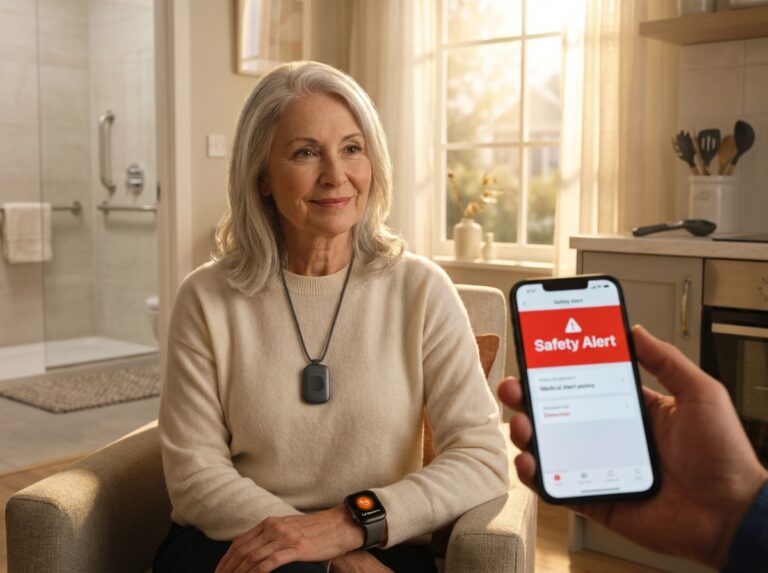
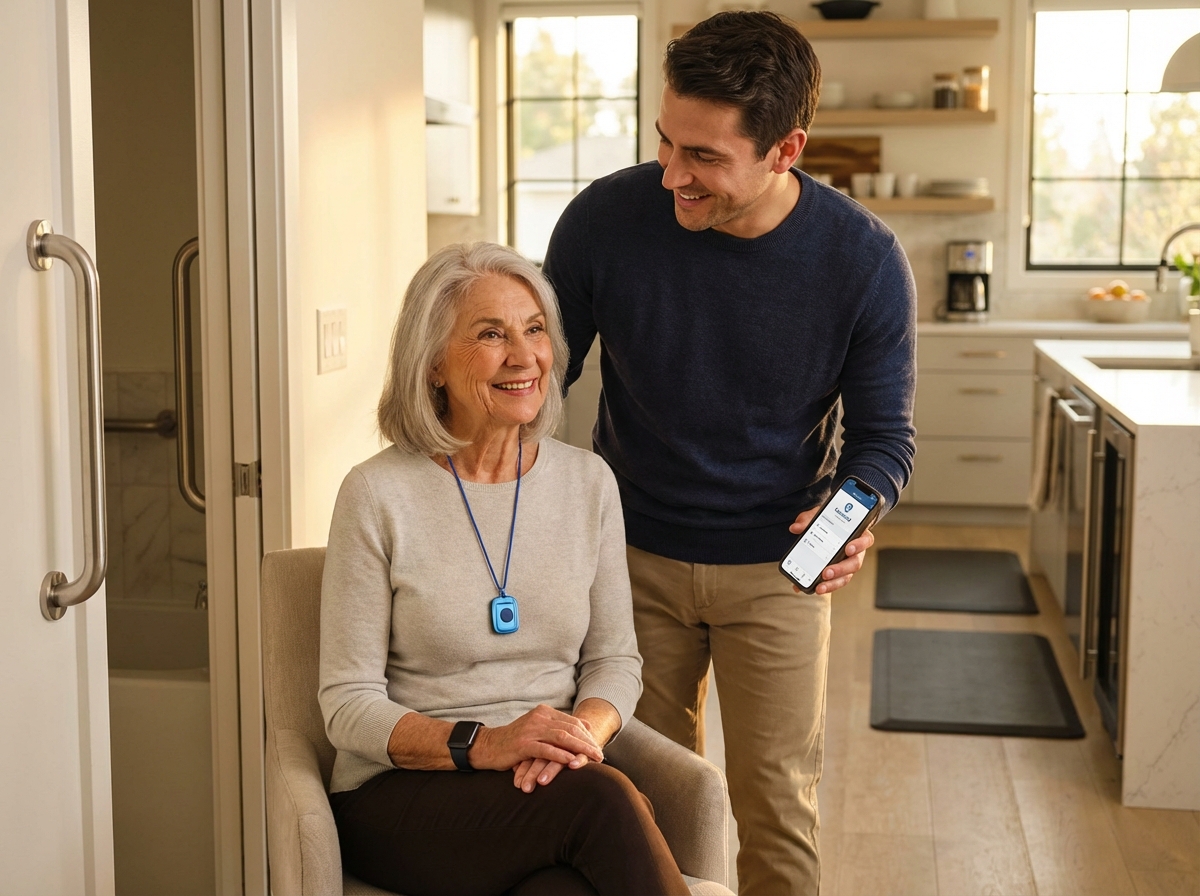
The effectiveness of fall detection depends heavily on where you wear the device. Pendants are generally the most reliable for sensing falls because they sit near the center of gravity on the chest. For the best performance, the pendant should hang about 1 to 2 inches below the collarbone. This position allows the internal accelerometers and gyroscopes to measure the specific tilt and speed changes of a fall. Wrist-worn devices or smartwatches are more discreet but can be prone to more false alerts because of normal arm movements. If you choose a watch, ensure it is worn snugly against the skin so the sensors can accurately track your motion.
Pairing with Apps and Smartphones
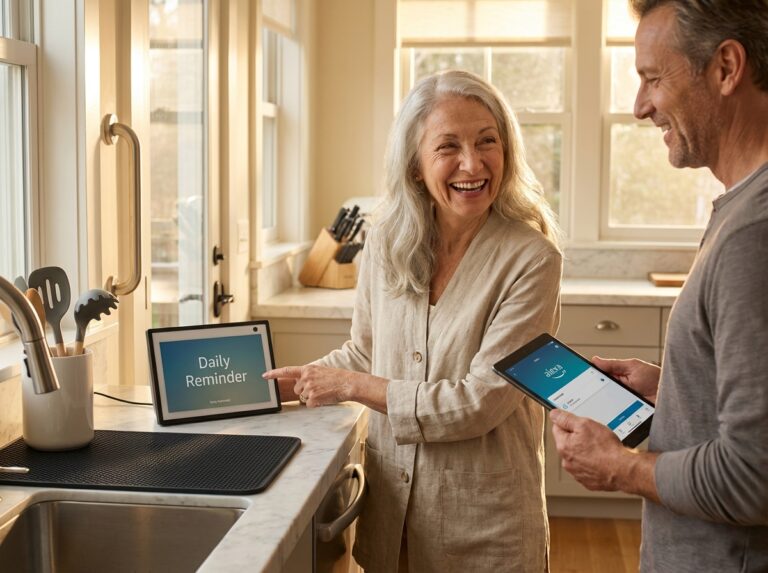
Many systems now include a companion app for family members and caregivers. Pairing usually takes less than a minute via Bluetooth. These apps provide real-time updates on battery levels and the user’s current location. For example, the Medical Guardian app can push an alert to a daughter’s phone within 5 seconds of a fall being detected. It is a good idea to set up these apps during the initial installation and ensure that the user’s smartphone has the latest firmware updates. Manufacturers like Philips Lifeline released v2.1 updates in 2025 that improved detection accuracy by 5 percent.
Testing and Managing Alerts
You must test the fall detection feature safely. Do not try to simulate a fall by dropping yourself onto the floor. Instead, hold the pendant at waist height and drop it onto a soft surface like a sofa or a thick cushion. This should trigger the alert. If the device beeps, wait for the operator to speak and tell them you are performing a test. False alerts are a reality of this technology; about 15 percent of alerts come from activities like bending over quickly or sitting down hard. Most 2025 systems have a two-stage confirmation process. If the device detects a fall but then senses normal movement within 20 seconds, it may cancel the alert. If it does go through, simply tell the operator it was a mistake.
Maintenance and Battery Care
Battery life is critical for reliability. Mobile pendants usually last 5 to 7 days on a single charge. It is best to develop a habit of charging the device during a specific time, such as while sitting down to watch the evening news. Most 2025 chargers are magnetic docks that make it easy for those with limited dexterity to connect the device. You should also follow a regular maintenance schedule to ensure everything works when needed.
| Task | Frequency | Details |
|---|---|---|
| Button Test | Weekly | Press the help button to speak with the center. |
| Fall Simulation | Monthly | Drop the pendant onto a cushion from waist height. |
| Battery Check | Daily | Check the app or the light indicator on the device. |
| Firmware Update | Quarterly | Check the smartphone app for any pending updates. |
Integrating with Home Safety Aids
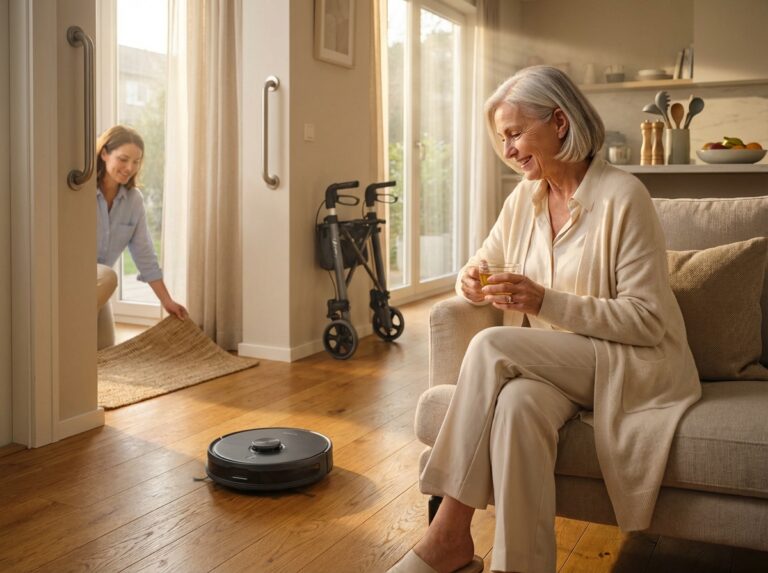
A medical alert system is a safety net, but it works best when combined with physical home modifications. Since 90 percent of falls happen in the bathroom, installing grab bars near the toilet and in the shower is essential. When you combine these bars with a fall detection pendant, you create a dual layer of protection. If a slip occurs despite the grab bar, the pendant ensures help is on the way. Non-slip flooring and shower seats are also vital. A 2025 study showed that using non-slip mats alongside medical alerts increases the prevention of serious injury by 40 percent. In the kitchen, using reaching tools and keeping heavy items at waist level reduces the need to climb or bend, which are common triggers for falls.
Frequently Asked Questions about fall detection medical alerts
Finding the right medical alert system involves navigating technical details and financial fine print. As of late 2025, the technology has improved significantly, but the way these systems interact with insurance and daily life still requires careful attention.
Medicare and Insurance Coverage for Medical Alerts
Does Medicare pay for medical alert systems?
Standard Medicare Part A and Part B do not cover the monthly service fees or the initial equipment costs for medical alert systems, as they are classified as personal safety devices rather than durable medical equipment. However, many Medicare Advantage (Part C) plans and some Medigap policies in 2025 have started offering reimbursements or discounted rates. Some plans provide a monthly allowance of up to $50 for safety technology. It is necessary to check your specific 2025 Summary of Benefits because coverage varies widely by provider and state. For veterans, the VA Aid and Attendance benefit is a reliable source of funding. Eligible veterans can receive up to $2,295 monthly to help cover the costs of home safety aids, including monitored alert systems.
Accuracy and the Reality of False Alarms
How accurate is fall detection and what causes false alarms?
Modern systems in 2025 use a combination of accelerometers, gyroscopes, and barometric pressure sensors to detect sudden changes in movement and altitude. High-end models like those from Medical Guardian have shown 90% accuracy in controlled lab tests. Most false alarms occur during vigorous activities like gardening, exercising, or even dropping the device on a hard floor. About 15% of false alerts are triggered by simple actions like bending over quickly to pick up an item or sitting down too fast on a firm chair. To minimize these, many 2025 devices include a two-stage confirmation process where the system waits for about 20 seconds to see if movement resumes before contacting the monitoring center.
Choosing Between Smartwatches and Pendants
Can a smartwatch or pendant detect all fall types?
No device is 100% perfect. Pendants worn around the neck are generally better at detecting “hard falls” because they sit close to the center of the body. Smartwatches like the Apple Watch Series 10 or the Samsung Galaxy Watch 7 are popular for their 95% outdoor accuracy, but they can struggle with “slow falls,” such as sliding out of a chair or slumping against a wall. These low-impact incidents often fail to trigger the acceleration threshold required by the sensors. According to The Senior List, pendants remain the gold standard for high-risk individuals because they are less likely to be taken off and forgotten.
GPS Performance and Indoor Tracking
How does GPS work when I am inside my home?
Standard GPS requires a clear line of sight to satellites, which makes it less effective indoors. To solve this, 2025 mobile systems use Wi-Fi triangulation and cellular tower signals to narrow down your location. While outdoor GPS is accurate within 5 meters, indoor location tracking usually has a range of 15 to 30 meters. If you live in a large apartment complex, this might only identify the building rather than the specific unit. For the best indoor protection, it is wise to use a system with a base station that has a known, fixed address on file with the monitoring center.
Response Times and Emergency Protocols
How fast is the monitored response?
Response speed is a critical metric. In 2025, the average response time across UL-listed monitoring centers is between 12 and 30 seconds. Medical Guardian currently leads the industry with an average response of 8 seconds. Once the button is pushed or a fall is detected, a live operator speaks to you through the device. If you do not respond, they follow a pre-set protocol. This usually involves calling your primary emergency contact first or dispatching local EMTs immediately if the situation seems urgent. A 2025 study funded by AARP found that receiving help within 30 seconds reduces the risk of long-term complications by 40%.
Privacy and Data Security Concerns
Are there privacy or data concerns with these devices?
Privacy is a valid concern since these devices track location and movement. In 2025, all major US providers must comply with HIPAA standards for data handling. This means your location data and medical history are encrypted and cannot be sold to third parties. Most caregiver apps allow family members to see your location, but you can usually adjust these settings if you prefer more autonomy. Check the privacy policy of the specific vendor to ensure they use end-to-end encryption for all transmissions.
What to Do During a Technical Failure
What happens if the device fails to detect a fall?
No technology is foolproof. If you fall and the automatic sensor does not trigger, you must press the manual help button. If you are unable to reach the button, the system cannot help you. This is why it is vital to perform a weekly button test and a monthly fall simulation. You can simulate a fall by dropping the pendant from waist height onto a soft cushion. If the device consistently fails these tests, contact the manufacturer for a replacement. Most 2025 systems have a 99.9% uptime, but battery neglect is the most common cause of failure. Ensure you follow the charging schedule, which is typically every 3 to 5 days for mobile units.
Note: Medicare Advantage and Medicaid policies are subject to regional changes. You should verify coverage with your local provider or state health department for the most current 2025 information.
Final recommendations results and next steps
Choosing the right safety tool depends on your daily habits and health needs. For seniors who stay active outdoors, a mobile GPS system like the MobileHelp Classic+ works best. It provides coverage wherever cellular signals reach. People who have fallen before need the highest accuracy possible. Systems like Medical Guardian show 90 percent accuracy in lab tests. Family caregivers often prefer the Lively Mobile2 because the app sends instant notifications to their phones. If a loved one has dementia, the voice check-in feature from Bay Alarm Medical helps reduce confusion during false alarms. Rural residents should look at LifeFone VIPx+ because it uses 4G LTE to maintain a 99.9 percent uptime even in remote areas.
Practical Next Steps
Start by taking advantage of 30-day trial periods. Most reputable companies allow you to test the equipment at home before committing. You should also schedule a conversation with an occupational therapist or a physical therapist. They can help determine if a pendant or a wrist-worn device is safer for your specific gait. Veterans should check with the VA. Programs like VA Aid and Attendance may cover up to $2,295 per month for home care costs, which includes medical alerts. Finally, contact your local Area Agency on Aging for a free home safety assessment. They can spot trip hazards like loose rugs or poor lighting that a device cannot fix.
Tips for Independent Living
Wearing the device is only half the battle. You must wear it correctly, usually one to two inches below the collarbone, for the sensors to work. Combine your alert system with physical aids. Installing grab bars in the bathroom and using non-slip mats can reduce fall risks significantly. Perform a weekly button test to ensure the connection is active. If you worry about false alarms, remember that operators prefer you to answer and say you are okay rather than staying silent. Modern algorithms are getting better at ignoring movements like sitting down quickly or bending over. Staying active with balance exercises also builds the strength needed to prevent falls before they happen.
Falls are the leading cause of injury-related emergency visits for adults over 65 in the USA. With 3.7 million visits annually, having a plan is vital. A medical alert system provides a safety net that allows you to live on your own terms. Choose a device that fits your lifestyle and keep it charged. Confidence comes from knowing that help is just a button press or a sensor trigger away.
References
- 10 Best Medical Alert Systems of 2025 – Modernize — Explore the top medical alert systems on the market. Compare costs, features, and extras to find the best fit for safety and peace of mind.
- Top-Rated Medical Alert Systems With Fall Detection – MedCity News — Lifeline remains a trusted name in the medical alert space. Its AutoAlert fall detection uses advanced sensors, and its monitoring centers have …
- Best Medical Alert Systems of 2025 – SafeHome.org — Bay Alarm Medical tops the list for best overall medical alert systems, Medical Guardian excels in fall detection, and ADT offers outstanding security …
- The 7 Best Medical Alert Systems (2025) – The Senior List — Of our picks for the best medical alert system, Bay Alarm Medical and Medical Guardian offer the best combination of value and reliability.
- Best Medical Alert Systems of 2025 – SeniorLiving.org — Bay Alarm Medical, Medical Guardian, ADT, MobileHelp, and Lively are the best medical alert systems of 2025, based on extensive expert testing and review.
- 4 Best Medical Alert Systems In 2025 – Family1st GPS Trackers — Home 2.0 by Medical Guardian is the best overall for its quick setup, reliable 1400-ft range, and fast emergency response in under 30 seconds.
Legal Disclaimers & Brand Notices
The information provided in this article is for informational and educational purposes only and does not constitute professional medical advice, diagnosis, or treatment. Always seek the advice of your physician or another qualified health provider with any questions you may have regarding a medical condition, fall risk assessment, or emergency response plan. Reliance on any information provided in this article is solely at your own risk.
All product names, logos, and brands mentioned in this text are the property of their respective owners. All company, product, and service names used in this article—including but not limited to Medical Guardian, Bay Alarm Medical, Philips Lifeline, Apple Watch, Samsung Galaxy, MobileHelp, Lively, and LifeStation—are for identification purposes only. Use of these names, logos, and brands does not imply endorsement or affiliation.